iOS 26: A Comprehensive Review
iOS 26 is Apple’s biggest iPhone overhaul since iOS 7—both visually and functionally. After six weeks of developer testing and the first public beta (released 24 July 2025), we now have a clear picture of what’s coming when iOS 26 ships with the iPhone 17 lineup in mid-September.

Key Takeaways
-
Liquid Glass design brings a translucent, depth-rich interface—but remains polarizing for readability12.
-
Apple Intelligence upgrades introduce on-device Live Translation, Visual Intelligence screenshot search, Genmoji, and smarter Shortcuts.
-
Phone & Messages apps gain Call Screening, Hold Assist, group typing indicators, polls, and custom chat backgrounds.
-
Apple Games app debuts as a unified gaming hub, while Maps, Music, and Wallet see targeted quality-of-life boosts.
-
Early betas show better stability than iOS 18 at the same stage, but battery life remains inconsistent on older devices.
1. Design Overhaul: Liquid Glass
1.1 What Is Liquid Glass?
Liquid Glass is a system-wide translucent material that refracts surrounding colors in real time11. It affects app chrome, widgets, Control Center, and even a new “All Clear” icon mode112.
1.2 Usability & Readability
Apple dialed transparency up (Betas 1-2), then down (Beta 3), then partially restored it (Beta 4) after legibility complaints213. The current public beta strikes a middle ground: notifications adopt a darker tint, and navigation bars are less see-through, improving contrast without abandoning the effect13.
1.3 Home & Lock Screen Tweaks
-
3-D spatial wallpapers animate with device tilt3.
-
Time numerals morph to avoid overlapping subjects in photos3.
-
Clear widgets float above content, merging seamlessly with icons1.
2. Apple Intelligence Features
2.1 Live Translation
Built-in translation of voice or text during Phone, FaceTime, and Messages calls—processed entirely on-device for privacy3.
2.2 Visual Intelligence Screenshot Search
Take a screenshot, circle an object, and invoke Google Image or ChatGPT queries without leaving the UI45. This brings Apple closer to Android’s Circle-to-Search.
2.3 Genmoji & Image Playground
Combine multiple emoji or textual prompts to generate bespoke stickers—shareable across iMessage and supported third-party keyboards3.
2.4 Intelligent Shortcuts
New action blocks let users script Writing Tools, Image Playground, and Apple Intelligence models with minimal setup3.
Hardware caveat: Apple Intelligence remains exclusive to iPhone 16 line and iPhone 15 Pro/Pro Max1415.
3. Core App Improvements
3.1 Phone App
-
Unified view merges Favorites, Recents, and Voicemail.
-
Call Screening transcribes callers and asks intent before your phone rings; works in 14 languages316.
-
Hold Assist waits on hold, then notifies you when a human picks up—no settings toggle required7.
3.2 Messages
-
Unknown-sender inbox with screening options3.
-
Group polls, typing indicators, Apple Cash transfers, and custom chat backgrounds (suggested via Image Playground)6.
3.3 Apple Music
AutoMix DJ-style transitions, Lyrics Translation & Pronunciation, and floating tab bar that shrinks while scrolling38.
3.4 Maps
Privacy-protected Visited Places log and smarter daily-route suggestions with delay notifications38.
3.5 Wallet
Installment or rewards-based Apple Pay, Live Activity boarding passes with integrated Maps and Find My links3.
3.6 New “Apple Games” Hub
Central library, event feed, Arcade access, multiplayer challenges, and Game Center stats9.
4. Performance, Battery & Compatibility
4.1 Supported Devices
iPhone 11 and newer; XR/XS era finally dropped1417.
4.2 Beta Stability
Developer Beta 4/Public Beta fixed most overheating and charging slowdowns seen in earlier builds. Performance is fluid on A17+ devices but occasional UI jank persists on A13 phones.
4.3 Battery Life
Adaptive Power mode dynamically lowers brightness and throttles background tasks based on usage patterns, but results vary—newer models fare well; iPhone 12/11 users report faster drain in current beta.
5. Accessibility Highlights
-
Accessibility Reader system-wide reading mode.
-
Braille Access turns iPhone into a full braille note-taker.
-
Vehicle Motion Cues extend to Mac and iPhone, reducing motion sickness.
-
App Store now shows Accessibility Nutrition Labels for each app.
These additions reinforce Apple’s commitment to inclusive design but Liquid Glass may still challenge low-vision users unless contrast settings are enabled.
6. CarPlay & AirPods
CarPlay adopts Liquid Glass, compact incoming-call view, pinned conversations, widgets, and Live Activities3.
AirPods 4/Pro 2 add studio-quality recording and camera shutter control via stem press3.
7. Release Timeline & Upgrade Advice
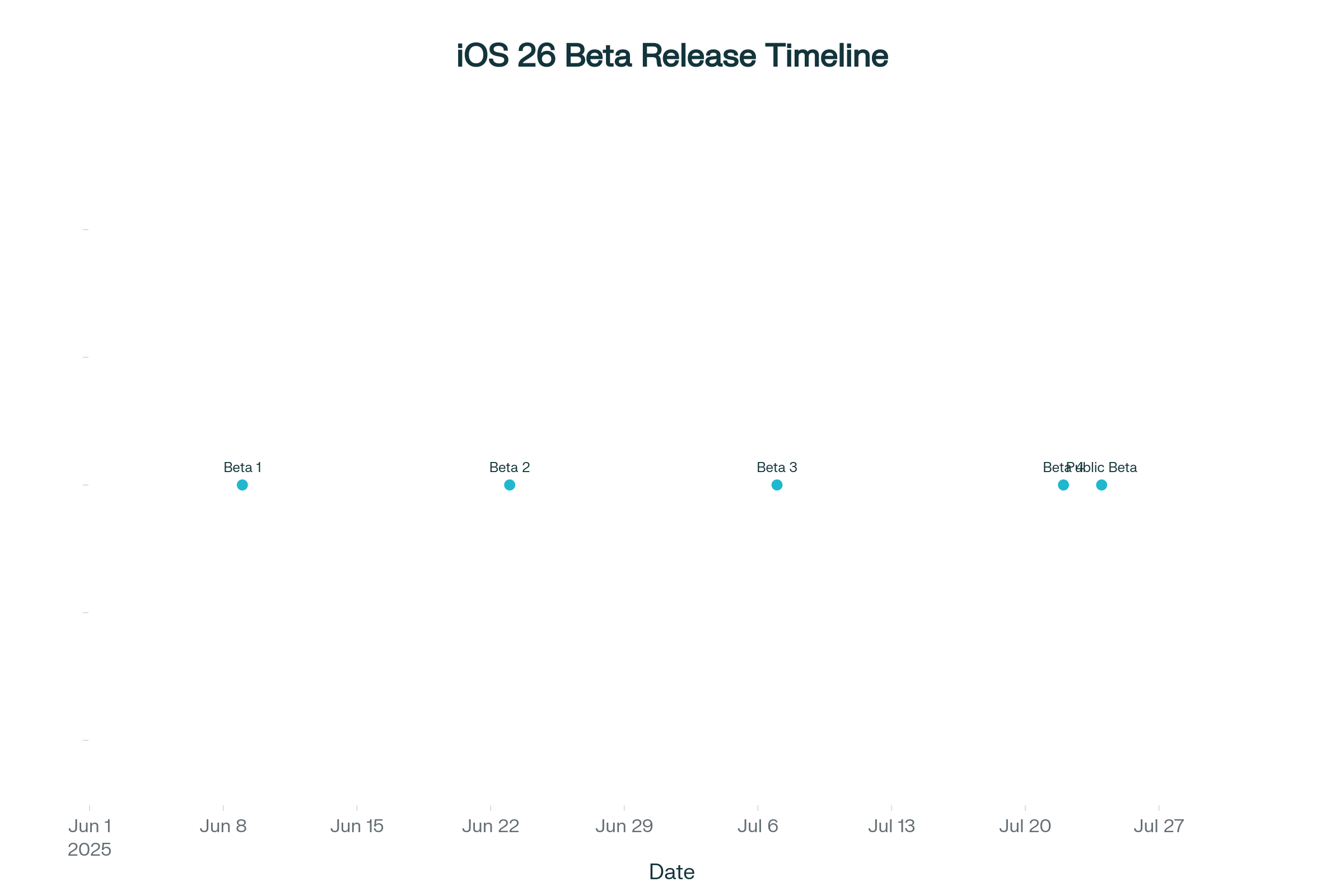
iOS 26 Beta Release Timeline
-
Developer Beta 1: 9 June - Public Beta 1: 24 July
-
Expected RC & public rollout: week of 15 Sept (after iPhone 17 event)2526.
Should you install the beta?
If you own an iPhone 15 Pro/16 series and crave early Apple Intelligence, the public beta is stable enough for secondary devices. Older iPhones may face battery hits—better to wait for the final build.
Conclusion
iOS 26 delivers a bold visual statement and meaningful quality-of-life tools powered by on-device AI. While Liquid Glass aesthetics divide opinion, Apple’s iterative tweaks indicate the company is listening. The combination of smarter communication features, next-gen accessibility tools, and a unified gaming hub makes iOS 26 more than just a UI facelift—it’s the foundation for Apple’s next decade of mobile experiences.
No comments